Architecture diagrams
All diagrams are Mermaid sources (.mmd) with the rendered SVG next to them. The source is
authoritative; the SVG is regenerated on every change. Text and rules for them are in
../spec/02-architecture.md. Names of tables, events and actions
come from the core contract (00, 03,
04, 05).
Index
C4
Flows in the server
Sequences
| Diagram |
Content |
Source |
Image |
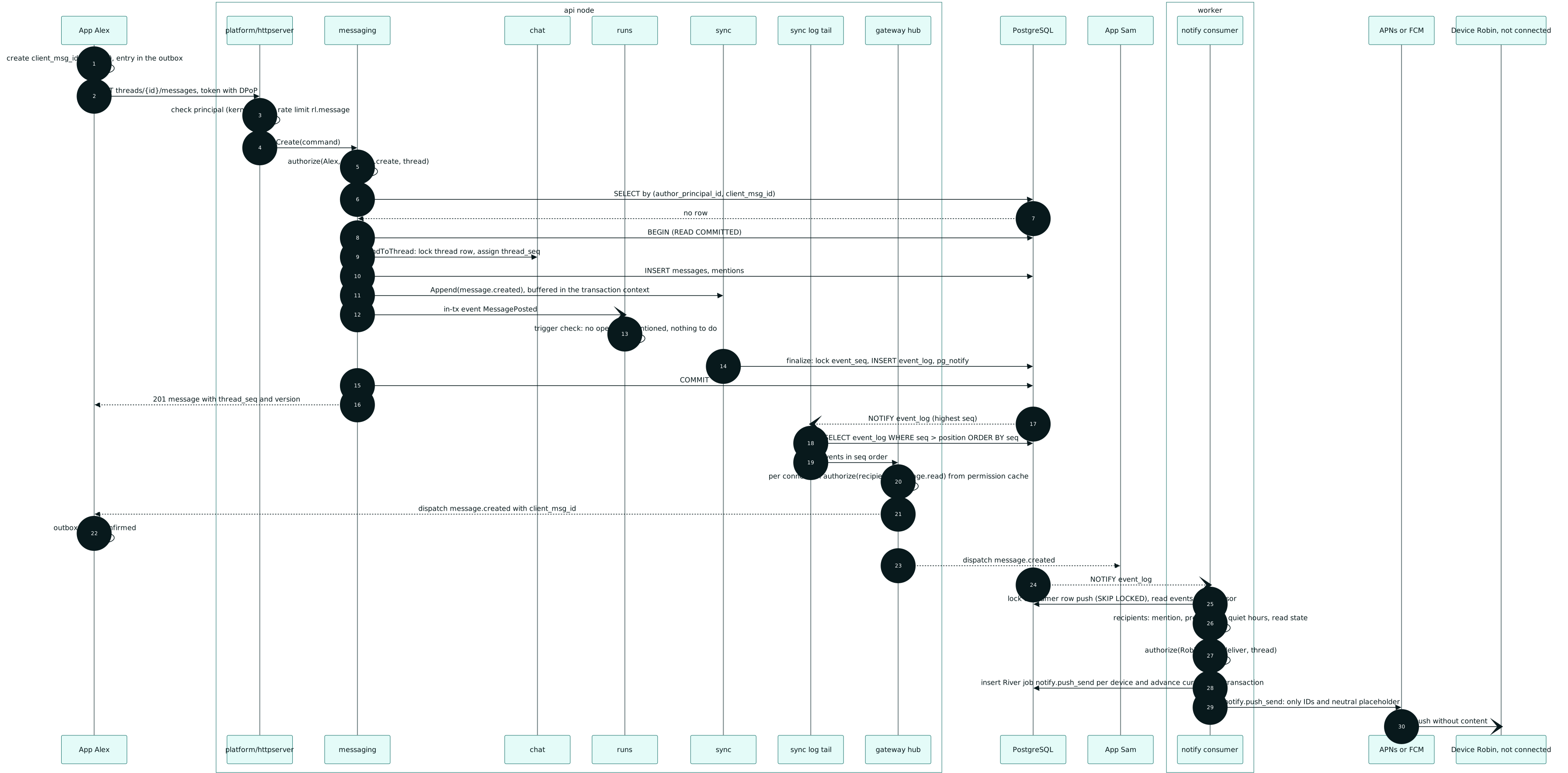
| Send a message |
Sending with client_msg_id, delivery to connected clients, push to a device without a connection. |
seq-1-send-message.mmd |
seq-1-send-message.svg |
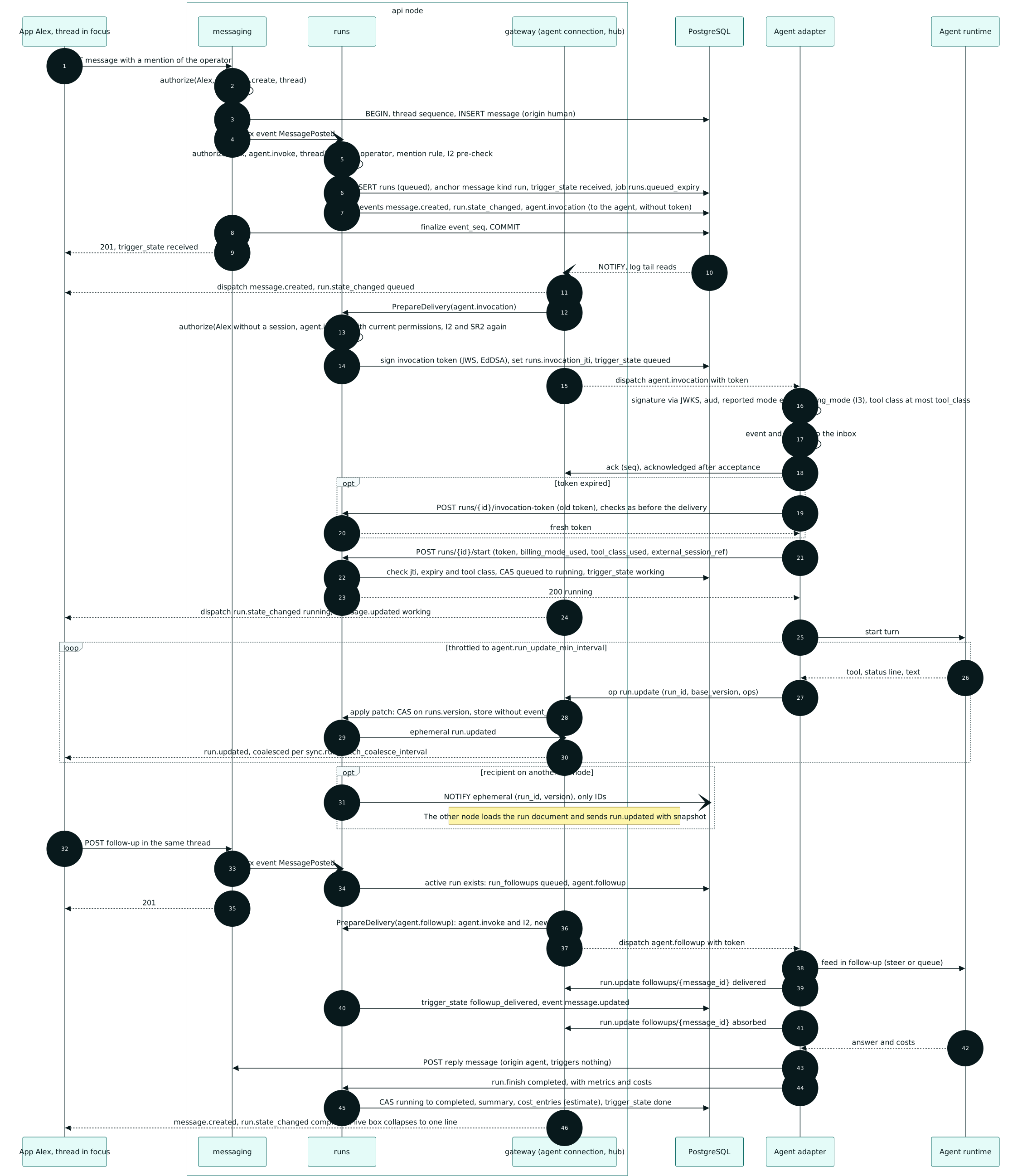
| Agent run |
Triggering, I2 and invocation token on delivery, run start via compare-and-swap, live box patches, follow-up, completion. |
seq-2-agent-run.mmd |
seq-2-agent-run.svg |
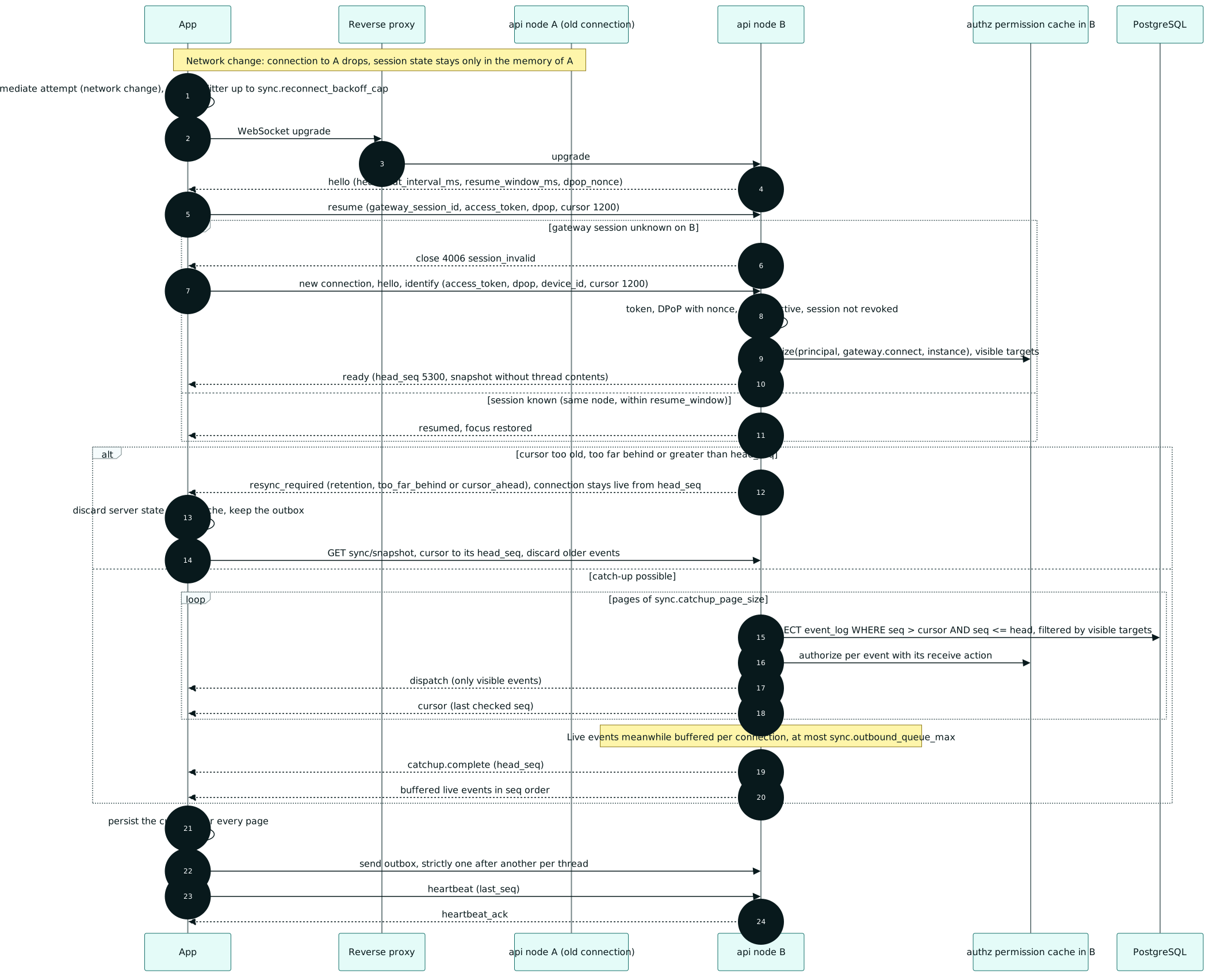
| Reconnect |
resume or identify on another node, catch-up with a buffer, resync_required. |
seq-3-reconnect.mmd |
seq-3-reconnect.svg |
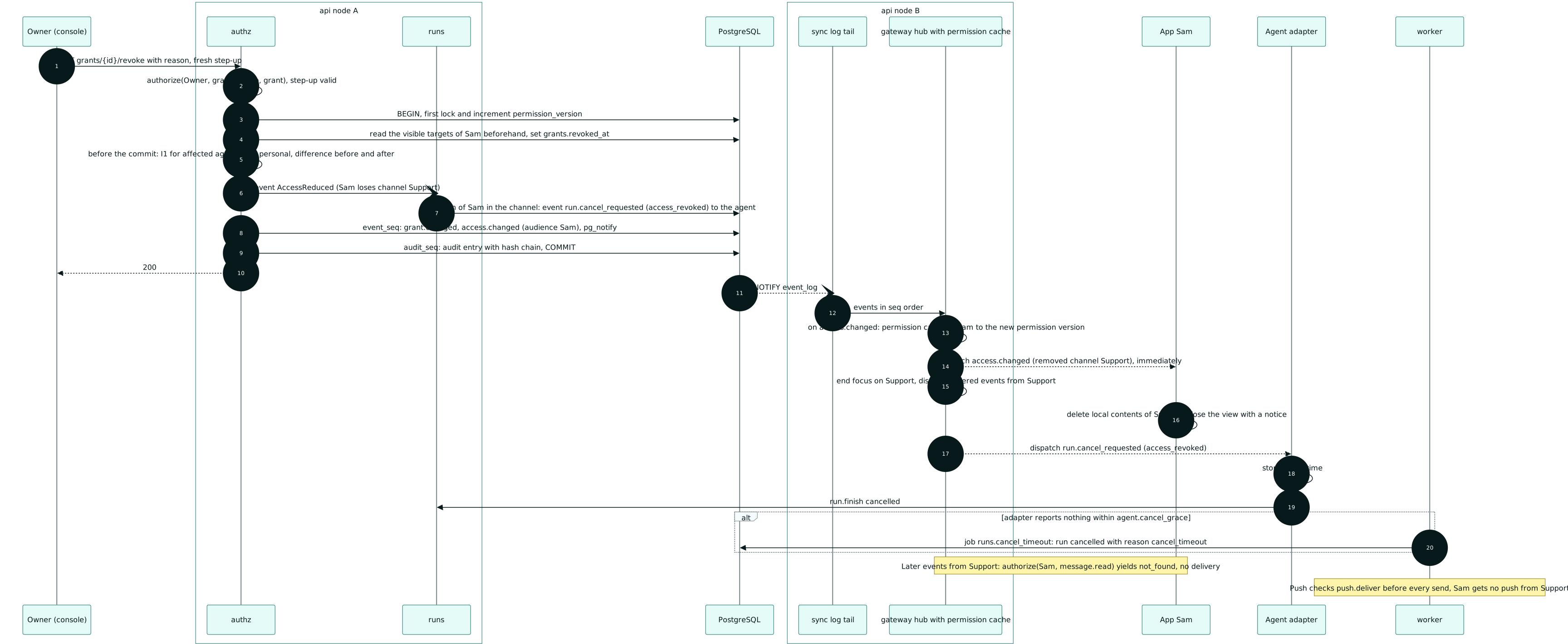
| Revoke a grant |
Revocation with an open connection across two nodes, cancellation of the active run. |
seq-4-revoke-grant.mmd |
seq-4-revoke-grant.svg |
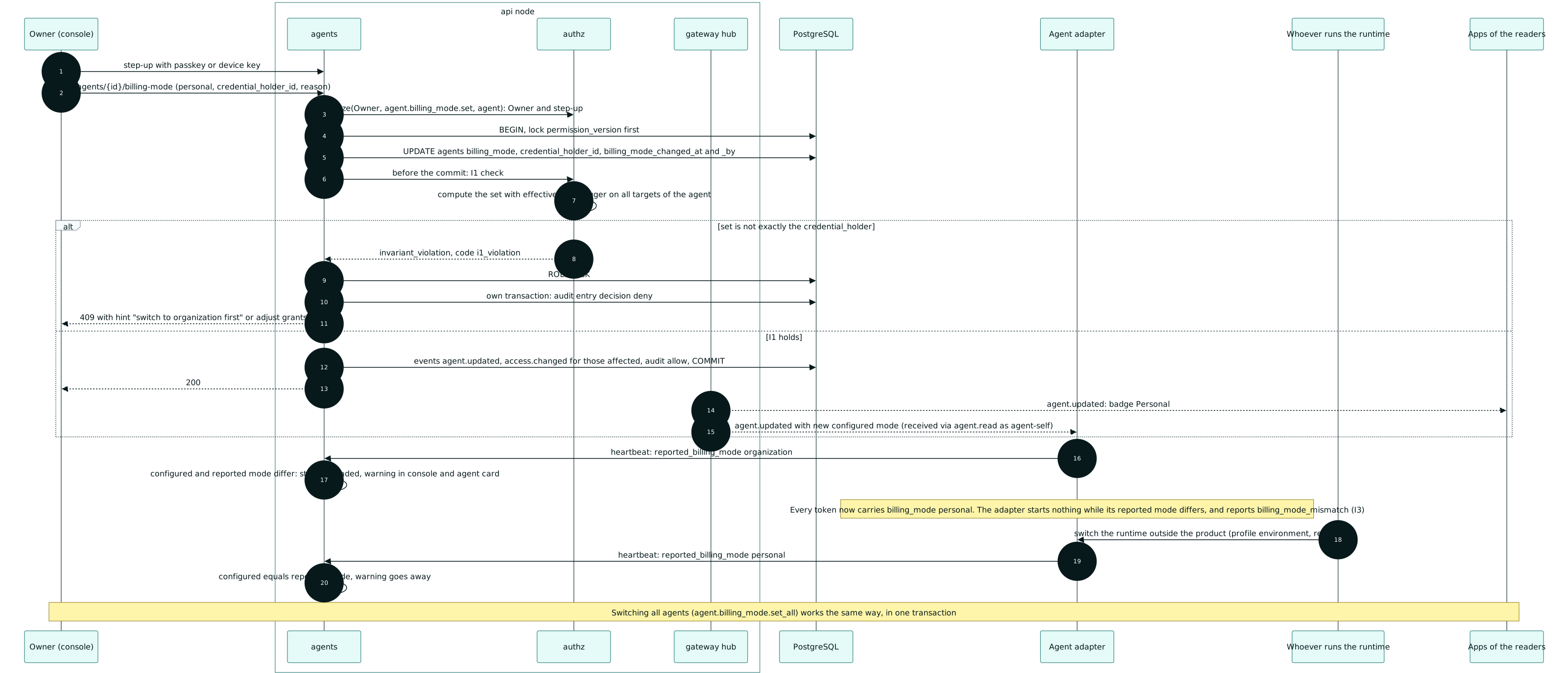
| Switch the backend mode |
Switching to personal with step-up, I1 check, configured and reported mode at the adapter. |
seq-5-backend-mode.mmd |
seq-5-backend-mode.svg |
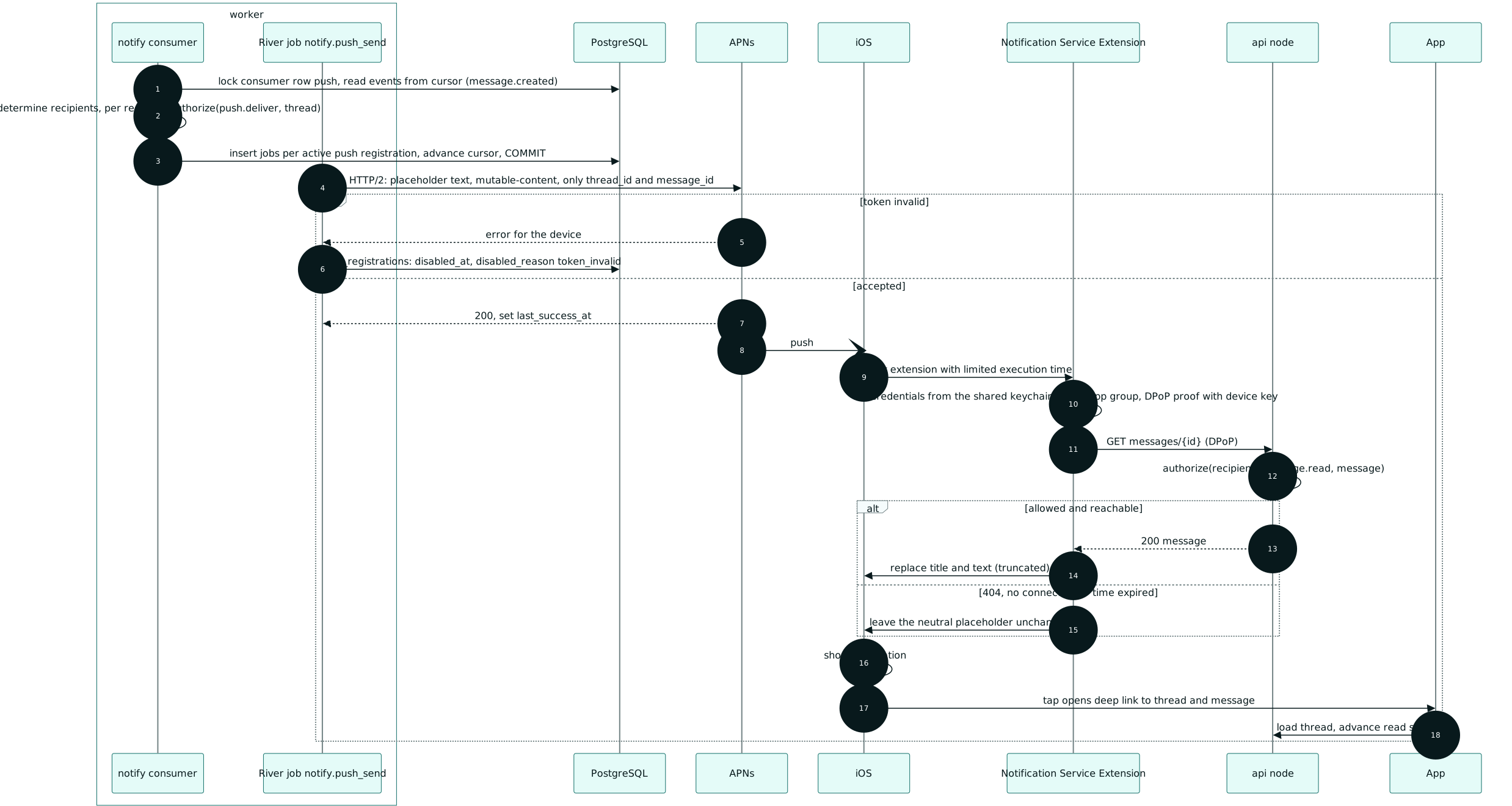
| Push with extension |
Push without content, the Notification Service Extension fetches the message through the API. |
seq-6-push-nse.mmd |
seq-6-push-nse.svg |
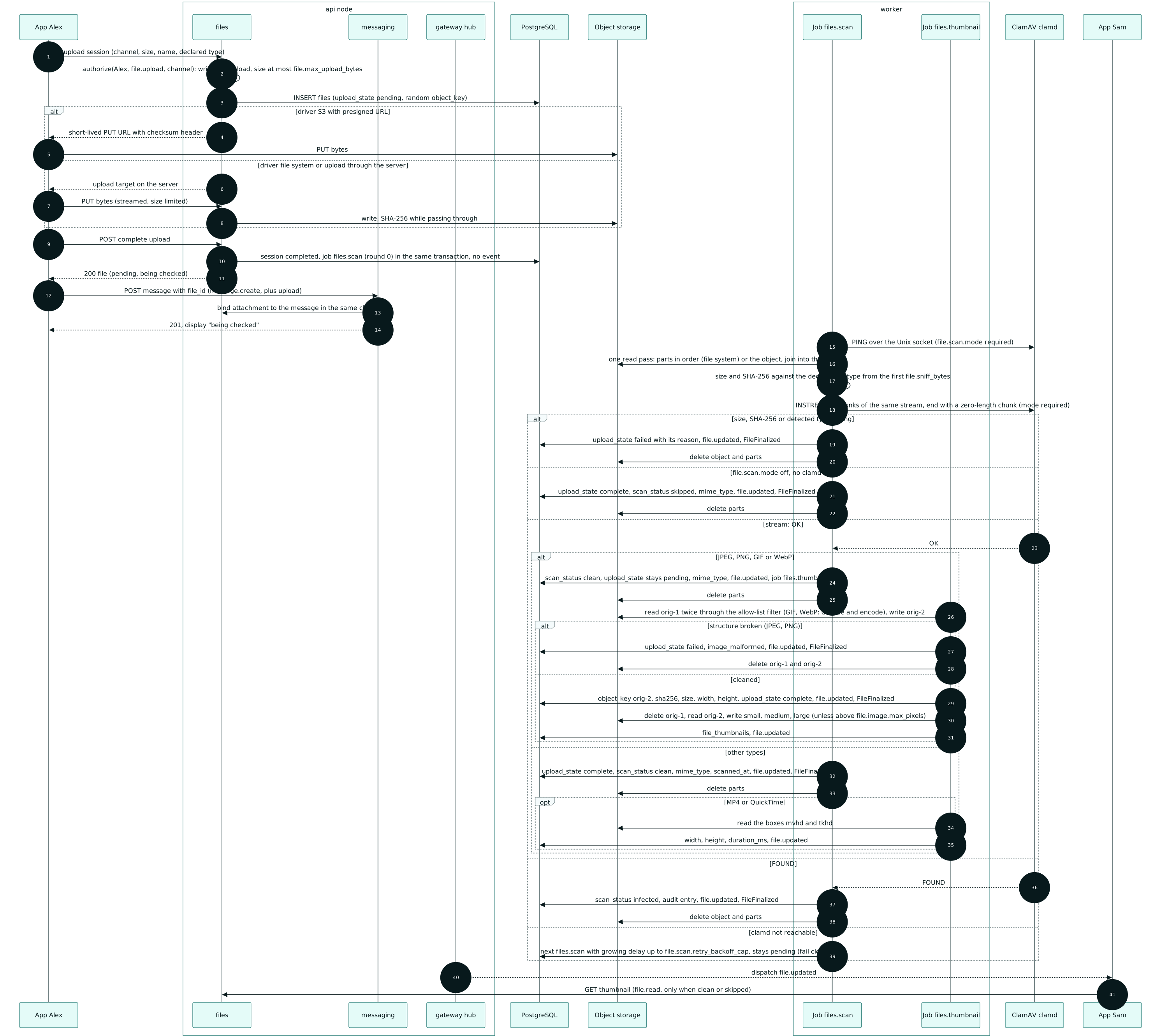
| File upload |
Upload session, upload directly or through a presigned URL, scan with clamd, thumbnail. |
seq-7-file-upload.mmd |
seq-7-file-upload.svg |
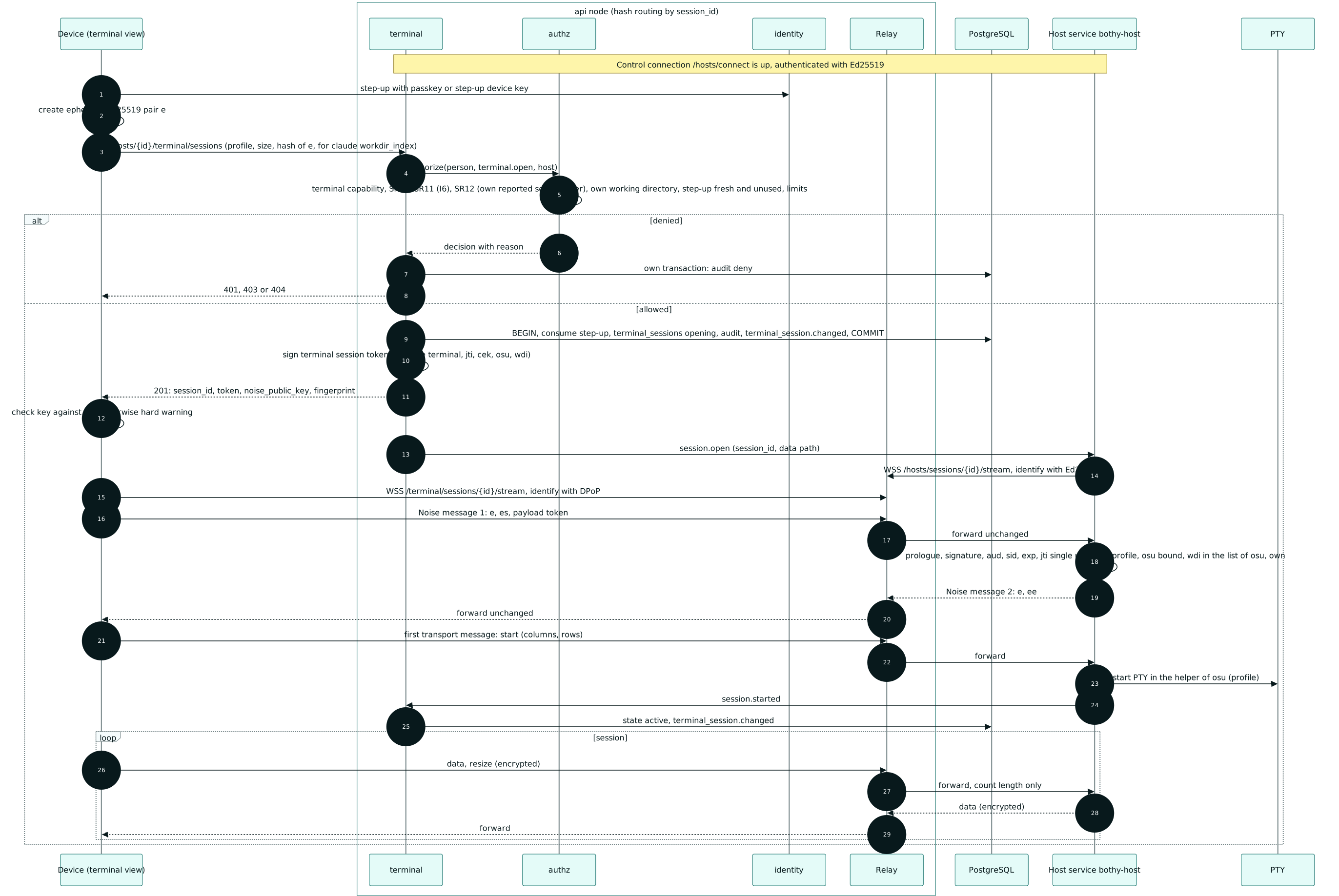
| Open a terminal |
Step-up, terminal.open with SR10, I6 and SR12, terminal session token, Noise NK through the relay, PTY only after start. |
seq-8-open-terminal.mmd |
seq-8-open-terminal.svg |
Data model (ERD, from 03-data-model.md, split by module)
Conventions
- C4 as a flowchart. Context, container and component diagrams use the C4 notation (person,
system, container, external) as a Mermaid flowchart. Reason: the C4 mode of Mermaid arranges the
boxes in a fixed grid, and with more than a handful of relationships the labels overlap.
The container and component diagrams use the ELK layout (
config.layout: elk).
- Paths without prefix. REST paths are written without the version prefix; the prefix is set by
../spec/06-api.md. Where it is clearer, the action is shown instead of the path
(for example
run.finish).
- ERDs. The files
erd-*.mmd are the only ERDs of the project; 03 only refers to them.
Every table from 03, section 4 (except the technical tables from 4.13) appears exactly once with
columns (keys, foreign keys, state columns), in the diagram of its module. Tables of
other modules appear there only with their key. Every foreign key relationship from 03 is
drawn, as often as there are foreign keys between the two tables; excepted are pure
log columns (name ends in _by, target principals(id)). Complete columns, types and
indexes are only in 03. ERDs with many child tables use direction LR so that they do not grow
too wide.
- Readability. No diagram is wider or taller than the aspect ratio
MAX_ASPECT in
tools/docs/render_diagrams.py. If one becomes too wide, it is split by module or rotated.
- Colors and font from the design system. All diagrams render with
design/build/mermaid.config.json (Mermaid theme base), which tools/design-tokens/tokens.py
generates from the tokens of the light theme. Node classes (classDef) use only token colors:
accent (spruce) for own containers and steps, loch for data stores, moss for edge modules,
gorse for checks, granite for external systems. The docs site colors its embedded
Mermaid blocks through docs/design/site-theme.css (also generated) to match the color scheme.
- Module edges. An arrow in the component diagram means "may call the port". Edges to
internal/kernel are not drawn because every module has them.
Render and check
Re-render (all .svg files or only the named ones); afterwards all checks run:
uv run --project tools --locked --quiet python tools/docs/render_diagrams.py --write [docs/architecture/<name>.mmd ...]
Check: make diagrams. The gate checks that every diagram renders, that every .mmd has an .svg
with the design theme, that no diagram exceeds the aspect ratio MAX_ASPECT, that .mmd files name
only token colors and that the ERDs match 03 (tools/docs/erd_check.py: every table exactly
once in full, every foreign key relationship drawn). For Chromium without a sandbox,
mermaid-cli needs a Puppeteer configuration outside the repo (MMDC_PUPPETEER_CONFIG). The
comparison of the module edges is described in ../spec/02-architecture.md,
section 7.3.